

making it work #6
Goodbye Superwhisper, Wispr Flow, and the screenshot claw


This is the sixth post in a new series called making it work — where I document what I’m actually building with AI, what broke, what surprised me, and what it means if you’re a marketer who keeps hearing terms you don’t know but nodding like you know what it all means.
Tools I love using so far:
Remy by MindStudio
Try Remy with me 🫶 Code: NINI26 for 3 months free (monthly plans only)
Willow
Busy, busy times!
Busy week. Two work trials, a new client, and I’m actively figuring out whether I want a portfolio career or to go back to working for someone. Lots of things are happening on the tool-experimenting side, too. Let’s get into it.
CleanShot: tried it, love it
I said in the last episode that I was going to try CleanShot. I did! It’s great.
The main adjustment is muscle memory. I’ve been doing shift+control+3 or shift+command+4 forever. CleanShot replaces that with its own shortcut and a small overlay that appears on screen, offering many more options for capturing what you want. All your screenshots live in one place in the app. It’s just a neater way of doing it, and I’ve genuinely liked having that.
If you’re doing any kind of video or tutorial content, it’s worth trying.
Willow: dictation, I actually like
I also tried a new dictation tool called Willow! The onboarding is genuinely stellar.
I also love the ease of use & shortcuts in the app. You press fn, and it starts recording. There’s also a widget. It’s so easy.
I’ve used Whisper Flow and Superwhisper before, and right now Willow is my favorite of the three. Though I’ll be honest, I’m not a loyal person. If something better comes out, I’ll switch. The one thing I haven’t tested yet is dictating in other languages, which might be where quality differences show up.
The only friction: if you’re in an office, you can’t really talk out loud. Which is a funny practical barrier for a dictation tool. Not sure how that changes with how we work, but it’s real.
Remotion: making videos with code
This one is a bit different. Remotion lets you make videos programmatically — you prompt it, and it generates a video. I used it to make a short animated piece for the Substack.
The result? Not great, honestly, but interesting enough to keep going. People have been using it for product demos, and that use case makes sense. You can see a solid example on their resources page for a tool called Presscut. The prompts are right there. You can learn from them.
What I find compelling is that once you can code, you can do almost anything. Video generation from a prompt is a good example of that. I’m going to keep experimenting with it.
Agent A by H Drafts: useful for content work
I’ve been using this for SEO and content research, and it’s been helpful. What I like about it:
The pre-built skills are good. Community content research, content gap analysis, pSEO patterns, and keyword cannibalization (if you believe in it) are the right things to have ready to go. You can also ask the agent to recommend skills to you. I’m still figuring out whether you can build your own skills or just work with what’s there.
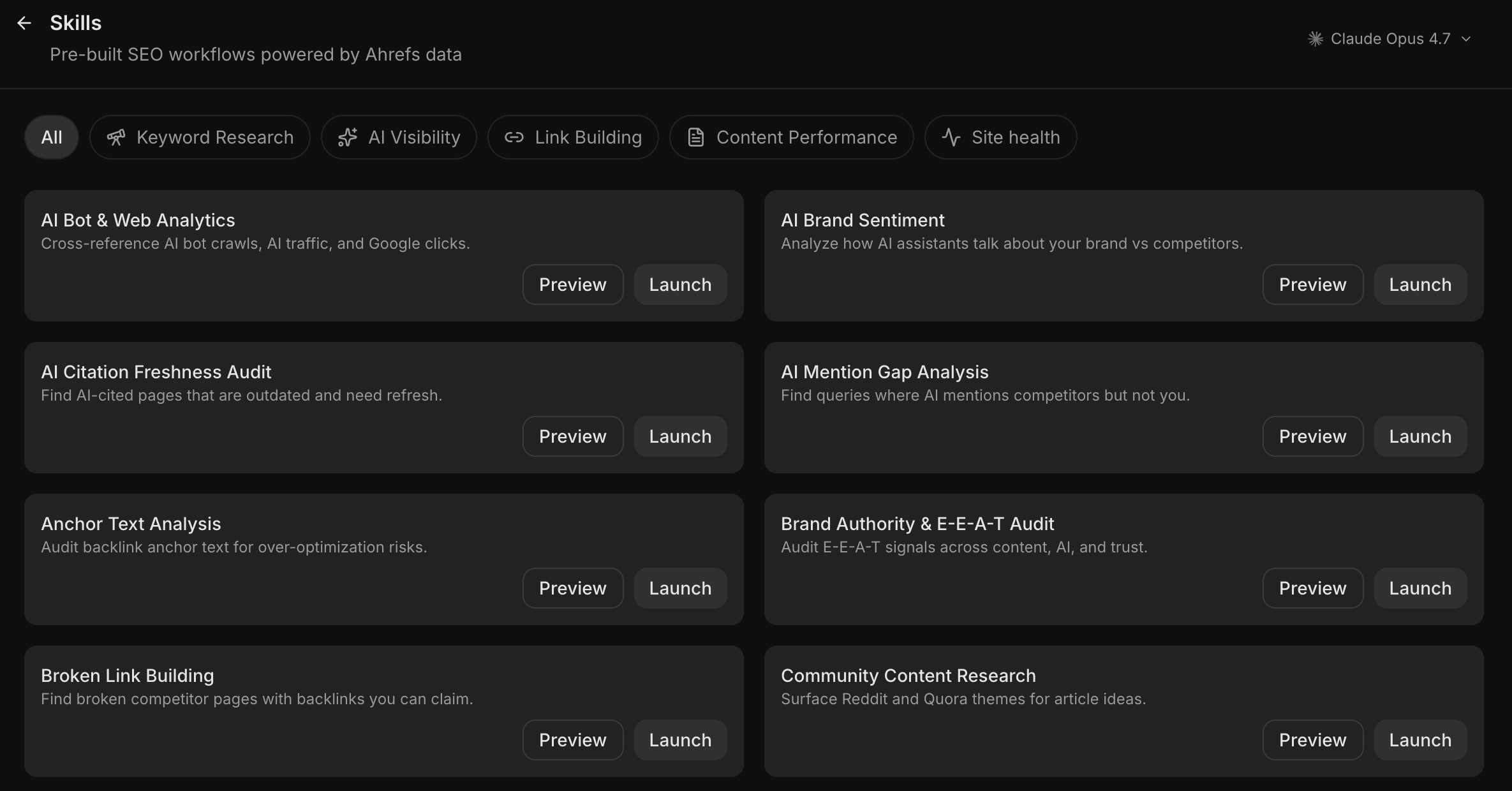
One workflow I’ve been using is to pull Ahrefs data, paste it into Claude, ask it to analyze it, and write up an SEO report. Claude produces solid output on that. The two tools together work better than either alone.
Still learning
I’m still learning about APIs, specifically what to use when you’re uploading a photo and need to read it. It’s been interesting and slow. I keep thinking someone should build a library that’s just a clean reference for all of this. Maybe I’ll do that.
More next week!
View previous posts like this:


Subscribe if you want this in your inbox every week. Honest, mid-process, no clean answers. Or reply and tell me what you’re building. Going to be doing this every Thursday!